
Record the video
that gets you hired.
Generate a complete video script tailored to the job and your experience. Record with a teleprompter or upload a video. Get feedback before you send.
3 free credits: one video script + one video analysis.
No credit card needed. The 3-minute limit applies to free analyses only.
- A complete script tailored to you
- Feedback on what you say and how
- A clear plan for your next take
Know what to improve before you send your interview video.
Prepare your answer, record a take, and get scored feedback with clear steps for your next attempt.
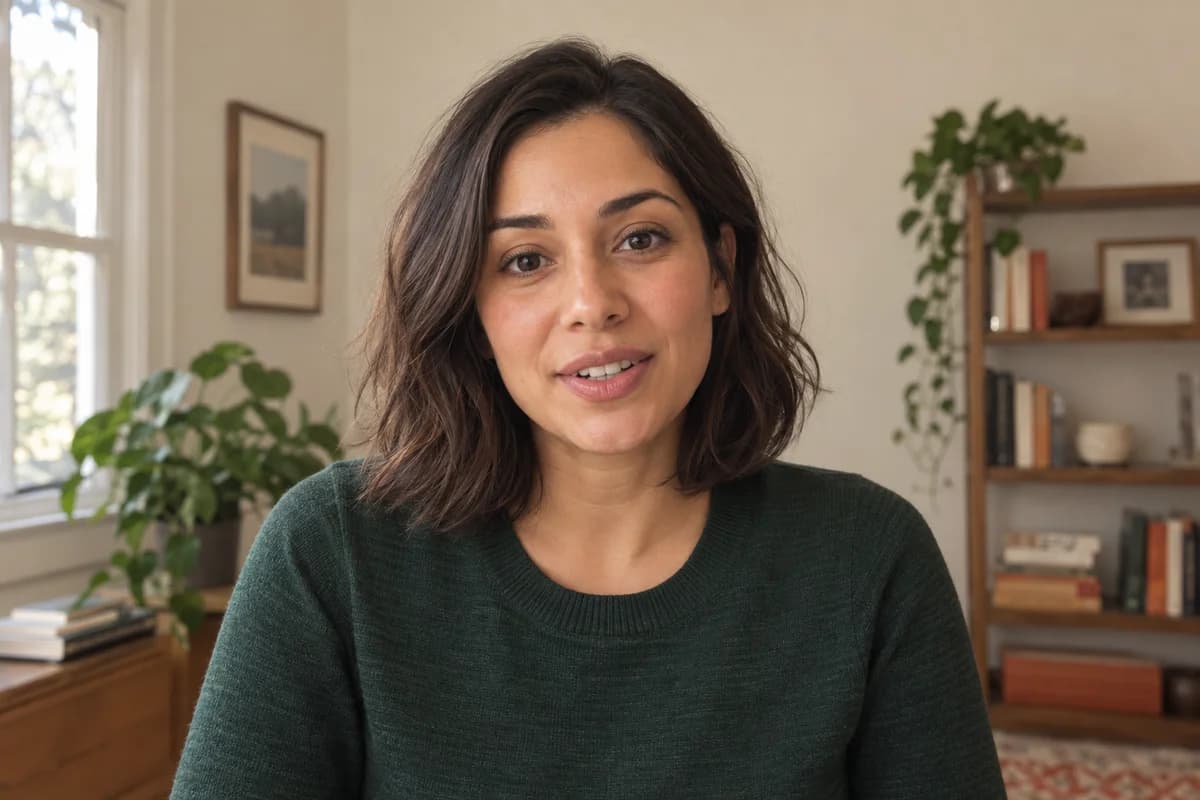 AI-generated portrait
Overall verdict
A clear project story with a concrete result. Make your personal contribution more specific, then give the outcome a moment to land.
For your next take
Name one decision you made. Explain how it helped the team.
AI-generated portrait and fictional sample feedback. Not a customer result.
What’s behind the 7.4?
OUT OF 10Your message and delivery carry the most weight.
You explain the problem, your actions, and the result. Add one specific decision you made so the listener can distinguish your contribution from the team’s work.
Your delivery is steady and easy to follow. Pause after “on schedule” to let the result land before moving into what you learned.
The framing and soft light keep attention on you. The background is unobtrusive; no special equipment is needed.
Your simple, everyday clothing works for this context and does not distract from your answer.
A practice score reflects the answer in this take. It is not a prediction of a hiring decision.
Keep the story. Sharpen the detail.
You explain the problem, your actions, and the result. Add one specific decision you made so the listener can distinguish your contribution from the team’s work.
Your delivery is steady and easy to follow. Pause after “on schedule” to let the result land before moving into what you learned.
A clear outcome: the team finished the launch on schedule.
Setting & attire feedback
Setting: The framing and soft light keep attention on you. The background is unobtrusive; no special equipment is needed.
Attire: Your simple, everyday clothing works for this context and does not distract from your answer.
Take these three things to the camera.
Keep the clear project story. Focus your next attempt on these refinements.
- 01
Make your contribution unmistakable.
Choose one decision you personally made. Explain why you made it and how it helped the team.
- 02
Give the result room to land.
Pause after “We finished the launch on schedule.” Then explain what you learned.
- 03
Connect the story to the role.
Close with how you would bring that same coordination to the team you’re applying to.
See what your own answer could use.
Try my first practice sessionWalk into your next take
with a plan.
From “What should I say?” to knowing what to keep and what to change.
- 01
Start with a script written for you.
Add your résumé and the job description. Generate a complete video script with a clear opening, relevant examples, and a strong close. Edit it to sound like you.
A complete script grounded in your experience - 02
Give your answer a practice run.
Record in the full-screen studio with a teleprompter, or upload a video you already have. Review your take before submitting it.
Record in the studio or upload a take - 03
Know what to work on next.
Get a scored review, specific feedback, and a next-take plan. Practice again when you’re ready, or download a take to keep.
Your answer → feedback → your next take
A few things
worth knowing.
Start with a free practice session. Choose more credits only when you need them.
See pricingWhat can I try for free?
Every new account starts with 3 credits: enough for one personalized video script and one video analysis of up to 3 minutes. That 3-minute limit applies only to free analyses: once you buy credits, you can analyze takes of up to 5 minutes (up to 7 minutes for uploaded videos with a credit pack). You don’t need a credit card to sign up. A video script costs 1 credit when its draft is created; completing that draft and retrying generation are included. A successful video analysis costs 2 credits.
Are my recordings public?
Your recordings are stored privately for playback in your account. Requt uses AI providers to process submitted recordings; they are not published to the homepage. You can delete an analysis and its stored recording. Read our privacy policy for provider handling, retention, and deletion details.
What does the score actually measure?
Requt reviews content, delivery, setting, and attire. Content and delivery account for 90% of the overall score. Feedback is practice guidance, not an employer’s assessment or a prediction that you’ll get hired. The demonstration above is fictional and illustrates the format of a review. How scoring works.
Can I upload or download a video?
Yes. Record in the browser or upload an MP4, WebM, or MOV file. You can download your original recording from the studio after stopping, and download the stored playback video from a completed evaluation. Follow the employer’s instructions when submitting your final video.
What happens after my free credits?
You can buy a one-time credit pack from $10 or choose a monthly plan. Creating a free account does not start a paid subscription. You can continue reviewing saved results without buying more credits. Compare packs and plans.
Your next answer starts
with this one.
You don’t need a perfect first recording. Start with your answer and find out what to work on.
Try my first practice session3 free credits · One video script + one video analysis · No credit card
A little preparation goes a long way.
Browse all guides- What to say
One-way video interview questions, and how to answer them on camera
The questions employers ask in recorded one-way interviews, the answer shape that works on camera, and how to make each answer specific enough to be remembered.
Read the guide - How to record
How to record a video interview at home
Camera height, lighting, sound, background and wardrobe for a recorded interview — the setup decisions that make you look prepared, using what you already own.
Read the guide - Platforms
How to practice for a HireVue interview
How to rehearse for a HireVue-style recorded interview: what the format asks of you, what to check before you start, and a practice loop that actually improves the take.
Read the guide